
Understanding the n8n Workflow Blueprint
At its core, an n8n Workflow is a logical sequence of automated steps designed to execute complex tasks without human intervention. Unlike traditional "if-this-then-that" platforms, n8n offers a canvas where you can connect Nodes (functional blocks) using JSON data. This granularity is what makes it a favorite for the US tech market, allowing for precise control over how data moves from a trigger to the final output.
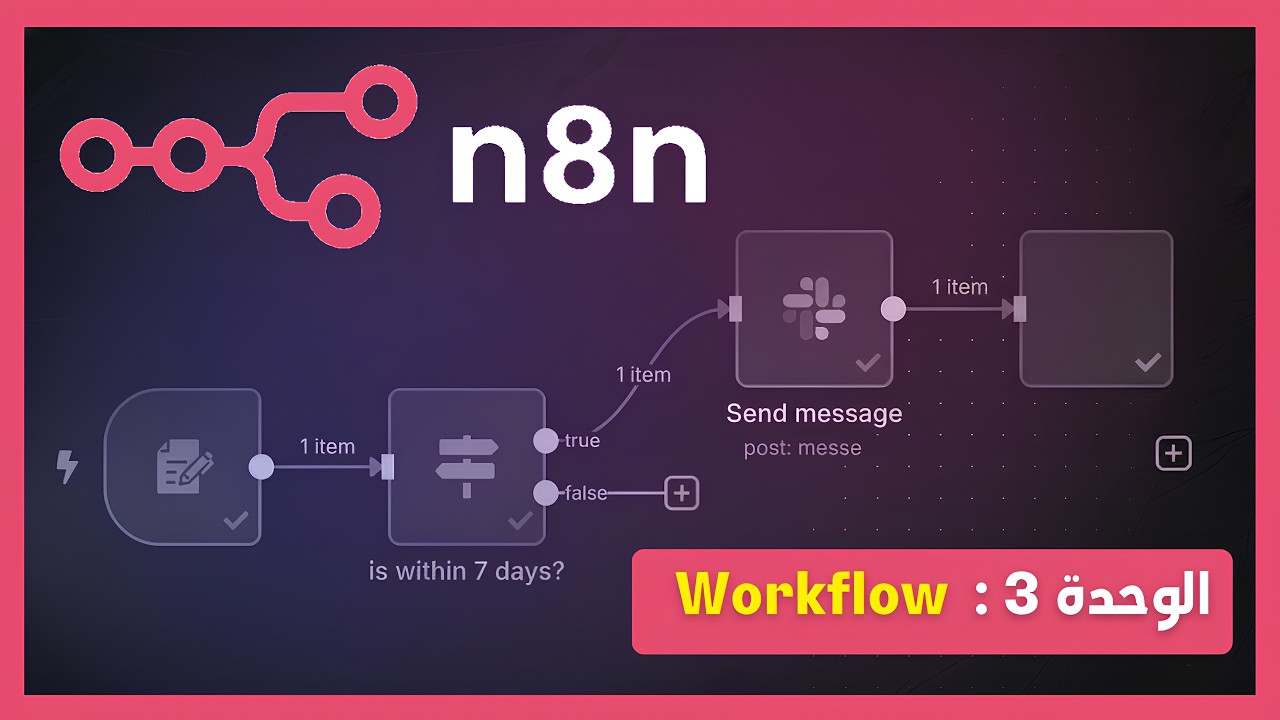
Optimized Insight: Visualizing the n8n canvas where Nodes process JSON payloads to drive AI-driven automation.
Step-by-Step Video Guide: Master n8n Nodes
The Anatomy of an n8n Node: Input, Parameters, and Output
To build advanced automations like a pro, you must understand what happens inside each Node. Every functional block in n8n consists of three critical layers that ensure data integrity throughout the workflow:
- 1. Input: This is where the node receives data from the previous step in JSON format. It acts as the raw material for your automation.
- 2. Parameters (Configuration): The core settings of the node. This includes Credentials (API keys), resource selection, and specific operations (e.g., "Send Message" or "Create Post").
- 3. Output: The result of the node's action. n8n allows you to view this in Schema, Table, or JSON views, providing full visibility into the transformed data.
Mastering these components is vital for debugging complex workflows. When targeting professional American standards, ensure your Credentials are correctly mapped in the "Parameters" section to avoid execution errors and ensure 24/7 uptime for your automation scripts.
Technical Tip: Always verify your JSON Input before configuring final Output parameters.
Supercharging Workflows with Google Gemini AI
The true revolution in 2026 automation lies in integrating Generative AI directly into your data pipelines. By connecting the Google Gemini API within n8n, you transition from simple task execution to intelligent decision-making. This integration allows your workflow to analyze incoming text, generate creative content, or even act as a 24/7 AI Agent for customer support.
How to Set Up Gemini AI in n8n:
- Get your API Key: Navigate to Google AI Studio and generate a secure API key for your project.
- Add Credentials: In n8n, create a new Google Gemini API credential and paste your key.
- Configure the Node: Select the Model (e.g., Gemini 1.5 Flash) and define your Prompt using data from previous nodes.
- Test & Refine: Use the Manual Trigger to ensure the AI output matches your professional English standards.
This synergy between n8n and Google Gemini is particularly powerful for managing high-traffic platforms like TrendPulse. It enables the automatic transformation of raw data into viral, SEO-optimized articles, giving you a massive edge in the competitive US digital market.
Expert Insight: Use AI Nodes to filter and summarize complex JSON data instantly.
Mastering Triggers: How to Launch Your n8n Workflows Automatically
A Trigger is the "catalyst" that determines exactly when your automation starts. In the competitive US digital landscape, selecting the right trigger is crucial for real-time responsiveness and server efficiency. n8n offers a variety of triggers to suit every professional use case:
| Trigger Type | Best For... |
|---|---|
| Manual Trigger | Debugging: Testing your workflow during the development phase. |
| On Schedule | Routine Tasks: Daily SEO audits or weekly email newsletters. |
| Webhook | Real-Time: Instant reactions to Stripe payments or Shopify orders. |
| On Form Submission | Lead Gen: Capturing user data from forms to fuel your CRM. |
By strategically combining these triggers, you can create a hybrid system that reacts instantly to market trends or executes scheduled content strategies on platforms like TrendPulse. Understanding the logic behind each trigger ensures your 2026 automation strategy remains robust and scalable.
Pro Tip: Use the 'On Chat' trigger to build conversational AI agents directly in n8n.
The Power of JSON: Data Transmission Mastery
In the world of high-level automation, JSON (JavaScript Object Notation) is the universal language of data. Every n8n Workflow relies on JSON to transfer information between nodes accurately. Understanding how to parse and manipulate these data structures is what separates a beginner from a professional automation architect in the US tech industry.
"action": "Mastering n8n",
"platform": "Nid Academy",
"year": 2026,
"status": "Success"
}
n8n provides built-in tools to visualize this data through Schema and Table views. This allows you to "map" specific fields (like an email address or a product price) into the parameters of the next node simply by dragging and dropping. By mastering JSON structures, you ensure that your automated systems—whether for TrendPulse or local US clients—remain error-free and highly efficient.
Optimization Tip: Use 'Expressions' to transform raw JSON data into human-readable English content automatically.
Quick Q&A: Master n8n Like a Pro
1. What is the main advantage of n8n over Zapier?
n8n is open-source and allows for more complex logic using JSON, offering much higher flexibility and lower costs for high-volume users.
2. Do I need to be a coder to use n8n?
While it is a "low-code" platform, a basic understanding of JSON and logic flows will help you unlock its full potential.
3. Can n8n run 24/7?
Yes, if hosted on a server (VPS) or using n8n Cloud, your workflows will run automatically based on your triggers.
4. What is a "Node" in n8n?
A Node is a single building block that performs a specific action, like sending an email or fetching data from an API.
5. How does the "On Schedule" trigger work?
It allows you to set specific times (daily, weekly, or every minute) for your workflow to execute automatically.
6. Is Google Gemini integration free?
You need an API key from Google AI Studio. While there is a free tier, high-volume usage may require a paid plan.
7. What is JSON data mapping?
It is the process of taking specific information from one node (like a username) and using it as input for the next node.
8. Can I use n8n for SEO tasks?
Absolutely. You can automate keyword tracking, content generation with AI, and even internal linking audits.
9. What happens if a node fails?
n8n has built-in error handling. You can configure "Error Trigger" workflows to notify you instantly if something goes wrong.
10. Is n8n secure for US-based businesses?
Yes, because you can self-host n8n, you have 100% control over your data privacy and security compliance.
Conclusion: Your Path to Automation Excellence
As we navigate through 2026, the ability to automate complex digital tasks is the ultimate competitive advantage. Mastering n8n Workflows—from understanding basic Nodes to integrating advanced AI like Google Gemini—empowers you to build scalable, intelligent systems that operate without limits. By applying the strategies discussed in this guide, you are not just saving time; you are building a future-proof foundation for your digital brand in the US and global markets. Start small, test your triggers, and watch your productivity reach new heights on platforms like TrendPulse.

Comments
Post a Comment